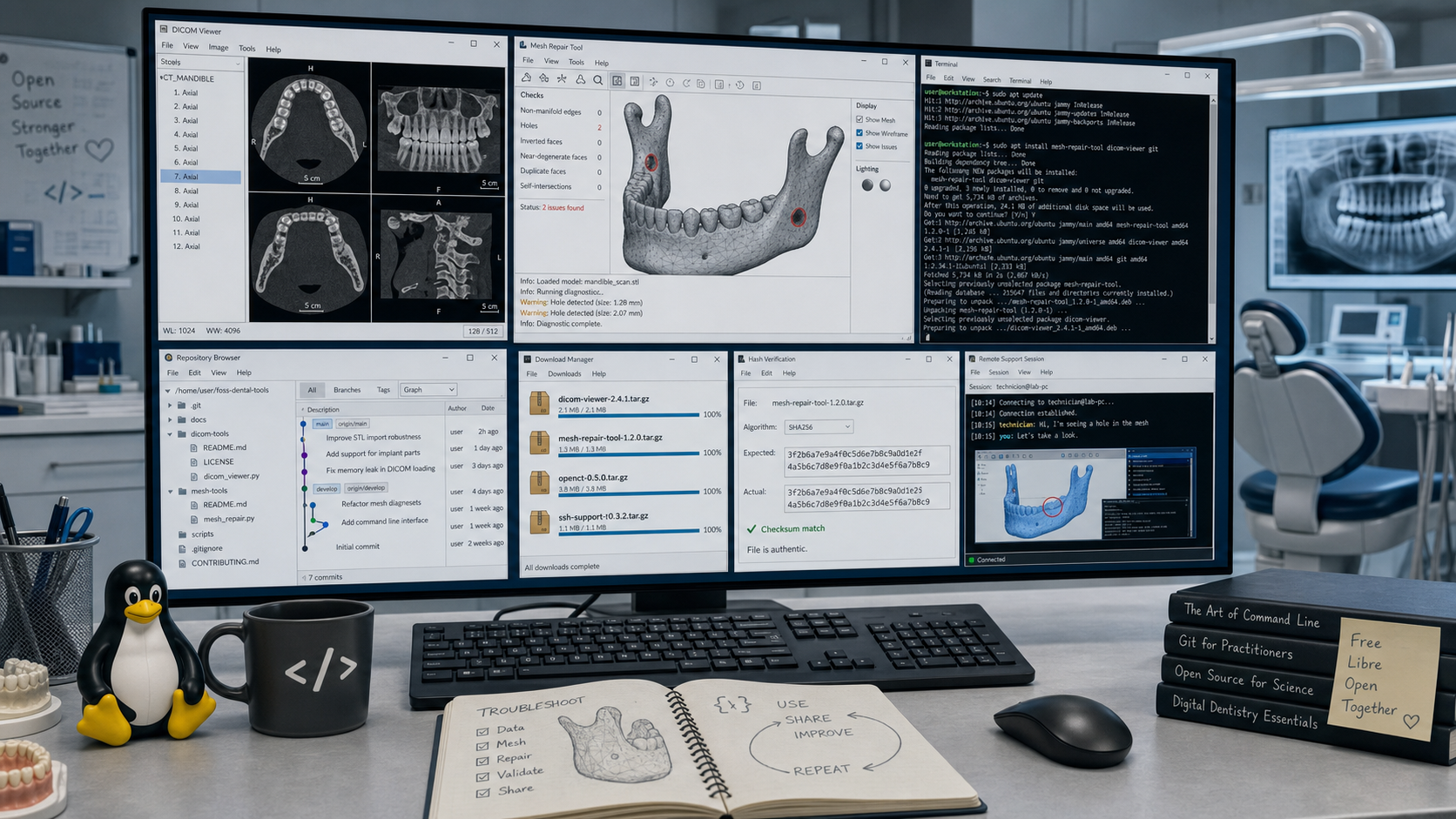
Standfirst: A surprisingly large number of delays in digital dentistry have nothing to do with scanners or design software. They come from missing support tools: no reliable DICOM viewer, no quick STL inspector, no safe way to share screens, no simple archive utility, and no easy method to verify whether a file changed on the way from clinic to lab. This is a practical shortlist of free tools worth keeping installed before the next urgent case arrives.
Why this toolkit matters
When a digital case stalls, the main problem is often not the main software. It is usually something smaller and less glamorous:
- a CBCT cannot be opened outside the planning workstation
- an STL file arrives but nobody can quickly inspect it
- a remote support call starts too late because the clinic and lab do not share the same helper tool
- a ZIP file extracts incorrectly
- a replacement file arrives, but nobody can confirm whether it is truly the same file, a newer export, or a damaged transfer
The teams that move fastest are usually the ones that already have a small support stack ready. It does not need to be expensive. In many cases, the most useful utilities are free.
To make this article more useful operationally, every tool below should also be mirrored or linked inside the Digital Dentistry Daily Downloads section under the most relevant subpage. That way, readers can move directly from the article into a curated download directory instead of searching each tool from scratch.
1. A dependable DICOM viewer
3D Slicer
If your team needs a free platform for advanced image visualization, segmentation, registration, and planning, 3D Slicer is one of the strongest options available. The project describes Slicer as a free, open-source platform for visualization, processing, segmentation, registration, and analysis of medical and other 3D images and meshes.
Why it is useful in practice:
- opening and reviewing CBCT datasets outside proprietary planning software
- checking segmentation quality before design steps move forward
- preparing cases for internal education and troubleshooting
- verifying whether the issue is in the scan itself or in the downstream workflow
Best use case: teams that need more than a basic viewer and are comfortable with a more technical interface.
Readers should also be able to find this in the Digital Dentistry Daily Downloads section under 3D viewers.
Weasis
Weasis is a strong choice when the goal is straightforward DICOM review with a more clinical viewer mindset. The project describes itself as a free and open DICOM viewer for standalone and web-based use, with support for routine reading, MPR, 3D, annotation, and PACS-style workflows.
Why it is useful in practice:
- opening studies quickly from local media or shared folders
- checking whether a DICOM export is complete before sending a complaint upstream
- reviewing a study on a workstation that does not have the full implant planning stack installed
Important note: the Weasis documentation explicitly warns that the open-source distribution is not a certified medical device for primary diagnostic use. That matters. In a digital dentistry workflow, it is a very useful operational viewer, but teams should still align usage with local regulatory requirements.
Best use case: clinics and labs that want a practical viewer for case review, transfer checks, and support work.
Readers should also be able to find this in the Digital Dentistry Daily Downloads section under 3D viewers.
2. A quick STL and mesh viewer
MeshLab
MeshLab remains one of the most useful free utilities for opening and checking triangular mesh files. The official project describes it as an open-source system for processing and editing 3D triangular meshes, including tools for cleaning, healing, inspecting, rendering, texturing, and converting models.
Why it is useful in practice:
- opening an STL immediately without launching a full CAD environment
- checking whether holes, flipped normals, rough trimming, or mesh damage are visible
- inspecting whether a scan failed during acquisition or became problematic later
- confirming whether a file is genuinely empty, corrupt, or just difficult to display in another program
Best use case: fast mesh triage before escalating a case to scanner support or CAD support.
Readers should also be able to find this in the Digital Dentistry Daily Downloads section under 3D viewers.
Meshmixer
Meshmixer still deserves a place in many digital dentistry toolkits because it remains very useful for fast mesh cleanup, hollowing, repair, thickness checks, and model preparation. Autodesk’s current product notes make an important point, though: Meshmixer is no longer in development and will not be supported going forward. That means it should be treated as a highly practical legacy utility rather than a long-term strategic platform.
Why it is useful in practice:
- repairing rough meshes before design or print steps
- checking wall thickness and model integrity
- hollowing printable models and preparing escape holes
- cleaning scans quickly without opening a full CAD workflow
- handling odd mesh problems that are faster to solve in a dedicated mesh tool
Best use case: technicians and advanced users who want a fast backup utility for mesh repair and print preparation.
Readers should also be able to find this in the Digital Dentistry Daily Downloads section under Software.
exocad webview
For a more dental-specific browser viewer, exocad webview is the stronger recommendation. exocad describes it as a fast 3D viewer for all devices that can load open 3D mesh formats including STL, OBJ, and PLY, and it is also available as a browser app at webview.dental.
Why it is useful in practice:
- quickly sharing a design preview with a clinician without opening a full CAD workstation
- reviewing STL-based models on mobile devices, tablets, or laptops
- checking shape, contours, and general case presentation before a live discussion
- giving a remote team member a fast visual reference without sending screenshots back and forth
Best use case: dental teams that want a lightweight, browser-friendly way to review and share 3D case visuals inside a more dentistry-specific ecosystem.
Readers should also be able to find this in the Digital Dentistry Daily Downloads section under 3D viewers.
3. A remote support tool everyone already knows how to start
Quick Assist
For Windows-based teams, Quick Assist is one of the simplest free support tools to keep ready. Microsoft describes it as an app that allows one person to share a Windows device with another so support staff can view the display, annotate, or take full control to troubleshoot and diagnose issues.
Why it is useful in practice:
- scanner software setup problems
- library installation checks
- workstation mapping and folder path issues
- urgent “can you see what I see?” support sessions between clinic and lab
Best use case: internal support between trusted users on Windows workstations.
Readers should also be able to find this in the Digital Dentistry Daily Downloads section under Remote Support.
Chrome Remote Desktop
Chrome Remote Desktop is another strong free option, especially when teams need something simple across locations. Google presents it as a way to securely access a computer or share a screen for remote support and collaboration in real time.
Why it is useful in practice:
- after-hours support when a lab technician needs to inspect a clinic workstation
- helping a remote dentist locate exports or screenshots
- cross-location support without requiring a more expensive remote-access platform
Best use case: low-friction remote access when both sides want a simple, browser-friendly setup.
Readers should also be able to find this in the Digital Dentistry Daily Downloads section under Remote Support.
4. A compression tool that removes friction instead of creating it
7-Zip
7-Zip is still one of the most useful free utilities in any digital workflow. The official site describes it as a file archiver with a high compression ratio, broad format support, AES-256 encryption for 7z and ZIP, Windows shell integration, and command-line options.
Why it is useful in practice:
- compressing large case folders before transfer
- unpacking archives received from manufacturers, labs, or support teams
- creating encrypted archives for sensitive case material when policy allows
- quickly checking whether a ZIP file is incomplete or corrupted
Best use case: every clinic and lab workstation, without exception.
Practical advice: if a team only installs one utility from this whole article, 7-Zip may be the safest choice.
Readers should also be able to find this in the Digital Dentistry Daily Downloads section under Software.
5. A simple file-verification utility
HashMyFiles
When a team says “we sent the right file” and the receiving side says “this file is different,” a hash utility saves time. HashMyFiles is a small Windows tool from NirSoft that calculates hashes such as MD5, SHA1, SHA-256, SHA-512, SHA-384, and CRC32 for one or more files.
Why it is useful in practice:
- confirming whether a replacement STL is actually new or just renamed
- verifying that a downloaded implant library matches the expected package
- checking whether a file changed during transfer, cloud sync, or antivirus interference
- documenting support cases more clearly when two teams disagree about file identity
Best use case: support staff, CAD leads, and anyone managing downloaded libraries or repeated exports.
Readers should also be able to find this in the Digital Dentistry Daily Downloads section under Misc.
6. A compare tool for “same file name, different contents” situations
WinMerge
WinMerge is an open-source differencing and merging tool for Windows that compares both files and folders. In digital dentistry, it is not just for software developers. It is useful anywhere teams need to compare two versions of exported settings, logs, configuration folders, case notes, or library directories.
Why it is useful in practice:
- comparing two library folders after a manufacturer update
- checking whether a workstation really received the same settings package
- comparing logs, config files, or exported text-based reports between systems
- identifying which file changed inside a support bundle
Best use case: technical support and CAD administration, especially in multi-workstation environments.
Readers should also be able to find this in the Digital Dentistry Daily Downloads section under Misc.
How I would build the minimum free toolkit
If a clinic or lab wants the smallest practical support stack, I would start with this:
- 7-Zip
- Quick Assist
- MeshLab
- Weasis
- HashMyFiles
That set covers the most common real-world problems:
- open the archive
- inspect the DICOM
- inspect the STL
- connect remotely
- verify whether the file is truly the same
Teams that work more deeply with CBCT processing or advanced case planning can then add 3D Slicer. Teams that want extra mesh repair options can add Meshmixer. Teams that want easy browser-based sharing in a dental workflow can add exocad webview. Teams that regularly compare folders and configuration bundles should add WinMerge.
A practical rule that saves time
Do not wait to install these tools when something is already broken.
The best time to prepare them is before the next:
- failed library import
- unreadable CBCT export
- suspicious STL
- remote support call
- “we sent the file yesterday” argument
Digital dentistry gets smoother when support habits become systematic. A small free toolkit will not solve every workflow problem, but it will remove a surprising number of avoidable delays.
Suggested resource box
Free tools mentioned in this article:
- 3D Slicer — medical image visualization, segmentation, and planning
- Weasis — practical DICOM viewer
- MeshLab — STL and mesh inspection
- Meshmixer — legacy but still useful mesh repair and print-prep tool
- exocad webview — browser-based dental 3D case viewing
- Quick Assist — Windows remote support
- Chrome Remote Desktop — simple cross-location remote access
- 7-Zip — compression and extraction
- HashMyFiles — file hash verification
- WinMerge — file and folder comparison
Recommended placement inside the Digital Dentistry Daily Downloads directory:
- 3D viewers: 3D Slicer, Weasis, MeshLab, exocad webview
- Remote Support: Quick Assist, Chrome Remote Desktop
- Software: 7-Zip, Meshmixer
- Misc.: HashMyFiles, WinMerge
Sources and verification
- 3D Slicer: https://www.slicer.org/
- 3D Slicer downloads: https://download.slicer.org/
- Weasis overview: https://weasis.org/
- Weasis download and compliance note: https://weasis.org/en/getting-started/download-dicom-viewer/
- MeshLab: https://www.meshlab.org/
- Meshmixer product notes and support status: https://apps.autodesk.com/FUSION/en/Detail/HelpDoc?appId=4108920185261935100&appLang=en&os=Win64
- Quick Assist: https://learn.microsoft.com/en-us/windows/client-management/client-tools/quick-assist
- Chrome Remote Desktop: https://remotedesktop.google.com/
- 7-Zip: https://www.7-zip.org/
- exocad webview product page: https://exocad.com/our-products/exocad-webview
- exocad webview usage guide: https://wiki.exocad.com/wiki/index.php/Viewing_a_scene_in_exocad_webview
- HashMyFiles: https://www.nirsoft.net/utils/hash_my_files.html/trans/trans/outlook_nk2_edit.html
- WinMerge downloads: https://winmerge.org/downloads/?lang=en
About the author